The extension reads the chat
extension/src/content.tsx
- Finds each message on LinkedIn's messaging pages
- Notes the sender's name, profile link and time
Safire · Code Kshetra 2.0 winner · Chrome extension · Gemini
Safire sits inside LinkedIn's messages. When someone sends an abusive or creepy message, it hides it behind a warning before you have to read it, saves the evidence, and can turn a sender's messages into a PDF report when you want to report them. Four of us built it, and as team Pixel Minds it won Code Kshetra 2.0, a 36-hour hackathon with more than 14,000 registrations. It also won HackWIE 3.0.
Result
Won Code Kshetra 2.0 and HackWIE 3.0
Team
Four people
My part
Project setup, the in-chat warning, server changes
Stack
Plasmo extension, Express, MongoDB, Gemini, Next.js
LinkedIn is meant to be a professional network, but plenty of people, women especially, get messages there that are anything but: comments on how they look, "are you single?", and worse. The usual options are to read it, feel awful, and block, and by then the damage is done. Reporting is hard too, because the evidence is scattered across chats and easy to lose once you block someone.
We wanted the message to be caught before you read it, and the evidence to be kept for you, so that reporting is a button and not a project.
We took it to Code Kshetra 2.0, a 36-hour hackathon run by JIMS Rohini and Geek Room in February 2025, with 14,713 registrations and only the top 150 teams in the final rounds. Our team, Pixel Minds, won it.
Feature
What it does
Hides harassment as it arrives
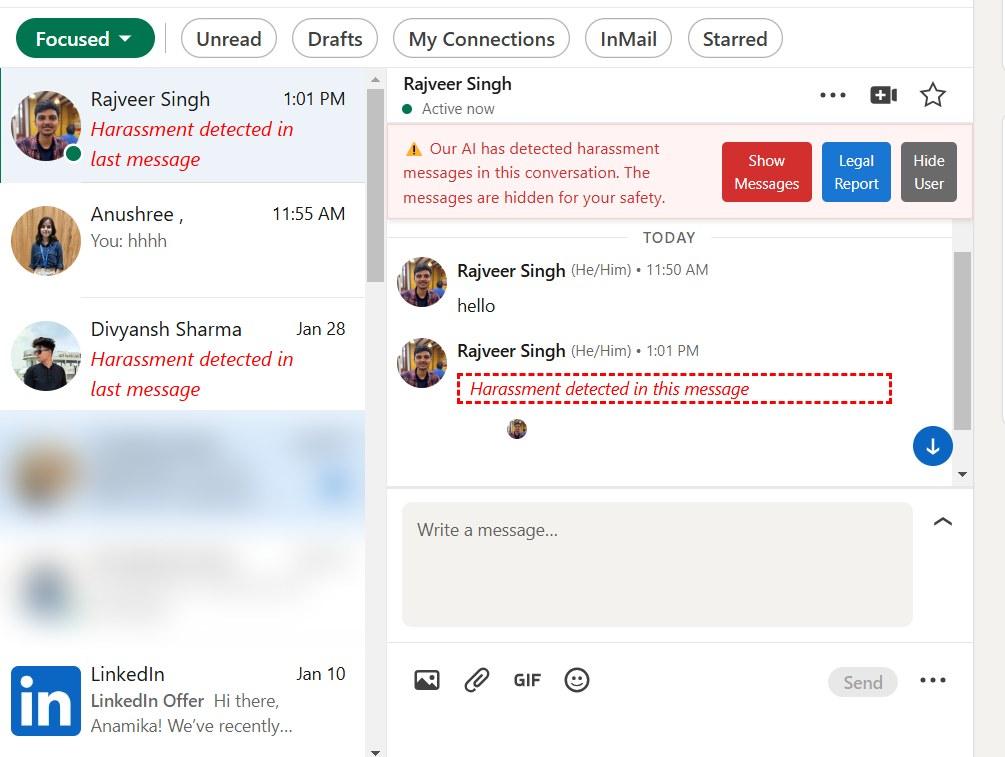
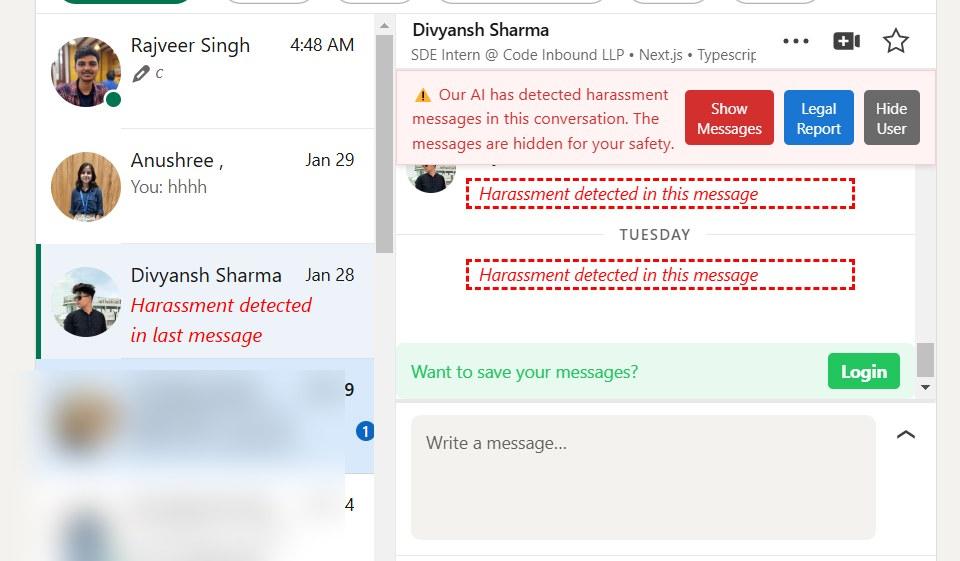
Inside LinkedIn's messages, an abusive message is replaced with "Harassment detected in this message", and the chat list shows a warning instead of the message preview. You can still choose to show it.
Keeps the evidence
After signing in, hidden messages are saved with the sender's name, profile link, time and the message itself.
PDF evidence reports
A sender's saved messages can be turned into one PDF report, so you have everything in one place when you report them.
Hide a person completely
One click hides everything from a sender, in the chat and in the inbox list.
Flags repeat harassers
Once more than five different people have hidden someone, their profile shows a "# Harasser" tag to every Safire user.
Your own word list and a dashboard
You can add words that should always be hidden, and see saved messages, hidden people, reports and settings in the extension and on a web dashboard.
A plain list of bad words catches the obvious cases fast, but harassment is often polite on the surface. "Do you have a boyfriend?" has no bad words in it, and it's still out of place from a stranger on a work platform. So Safire checks every message in two ways.
First, a list of blocked words, which each person can add to, runs right in the browser. Then the message goes to our server, which asks Google's Gemini model to judge it. Gemini answers in a fixed JSON format with yes or no for harassment, vulgarity, threats, sexual content and general offensiveness, plus a short explanation. If the answer says it's harassment, the extension hides the message.
The part I like most is that the check knows which platform the message came from. The prompt tells the model that a question like "do you have a boyfriend?" is harassment on LinkedIn, a professional network, but might be normal on Instagram. The same words get judged differently depending on where they were sent.
{
  "isHarassment": true,
  "isVulgar": false,
  "isThreatening": false,
  "isSexuallyExplicit": false,
  "isPotentiallyOffensive": true,
  "analysis": "A personal question about relationships from a stranger on a professional platform."
}Problem
What we did
Models sometimes wrap JSON in markdown, or don't return JSON at all
The server tries to read the reply as JSON, then tries again with the markdown stripped, and as a last resort looks for words like "harassment" in the text, so a messy reply never crashes the check.
Bad input from the extension
The server rejects a missing or empty username or message with a clear error before any model call is made.
The AI call is slower than a word list
The word list runs first, in the browser, so obvious messages are hidden instantly while the AI check catches the subtler ones.
The extension does the reading and hiding in the browser. The server does the AI check and keeps the evidence.
extension/src/content.tsx
extension/src/background/messages/detectMsg.ts
server/src/api/user/report.js
Four of us built Safire together. These are the parts each person owned, going by the commits.
Person
What they built
Me
Set up the project, built the harassment detection and warning UI inside LinkedIn chats, added the buttons on that warning, and made changes to the server.
Rajveer
Most of the extension and the web dashboard, sharing the sign-in between the two, and after the hackathon a separate moderation service and the move to the name Safire.
Anamika
Saving a harasser's messages to the database with their profile, name and time, tagging harassers, hiding users, and calling the server only when needed.
Anushree
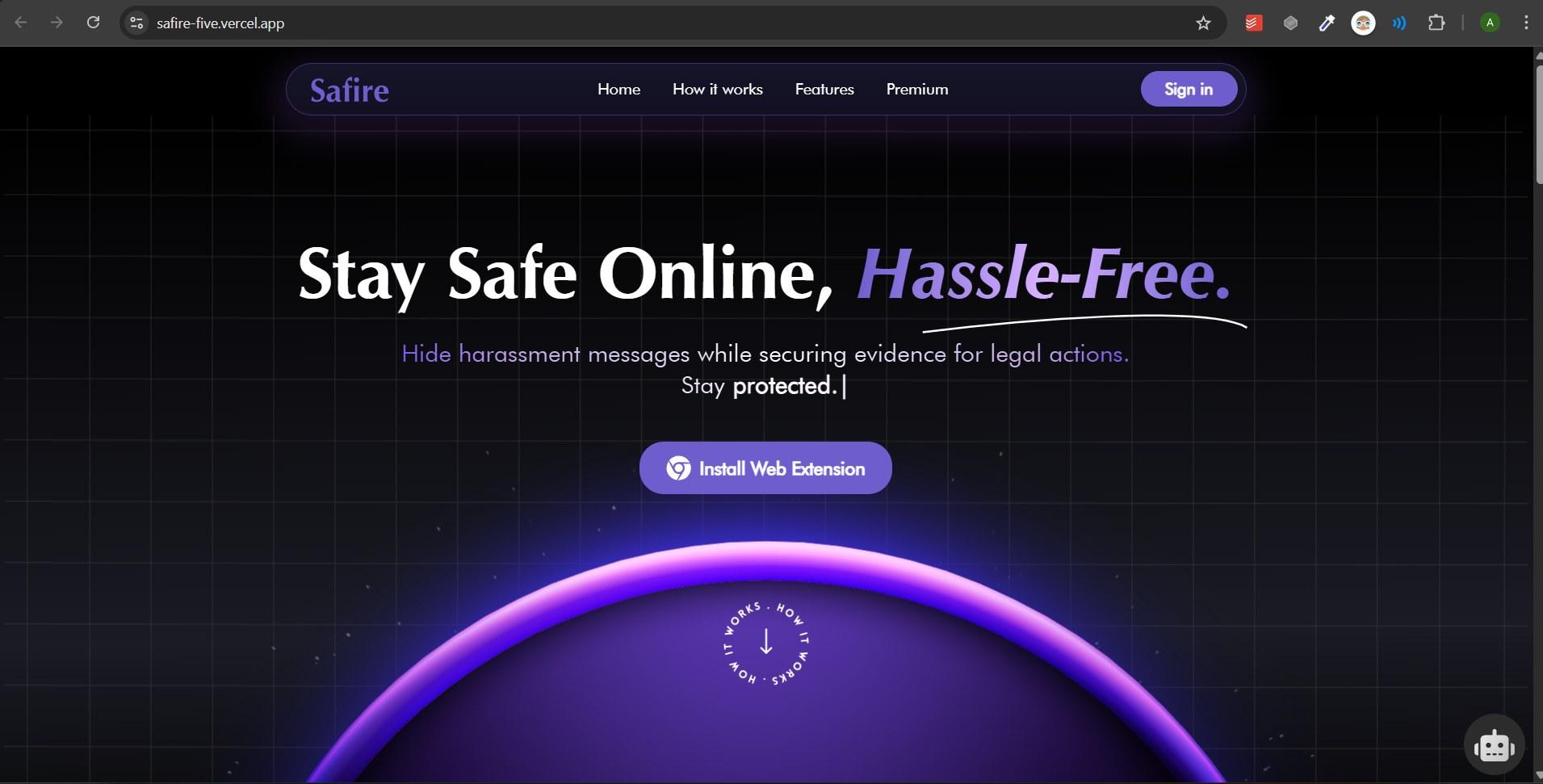
The landing page.
The team's own screenshots from LinkedIn. People who aren't on the team are blurred.